


PlutoTV: Stream Free Movies/TV
3.7118.44K Reviews
App Specs
- Version
- Varies with Device
- Updated On
- License
- Free
- Downloads
- 100,000,000+
- Developer
- Pluto, Inc.
- Categories
- Entertainment
- Platform
- Android, iOS
Screenshots

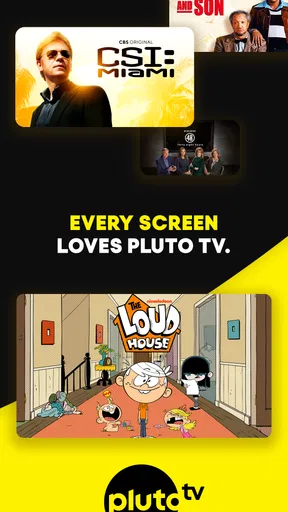
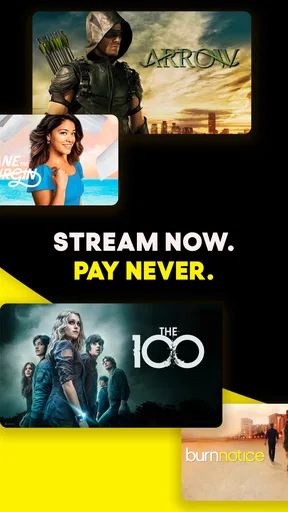
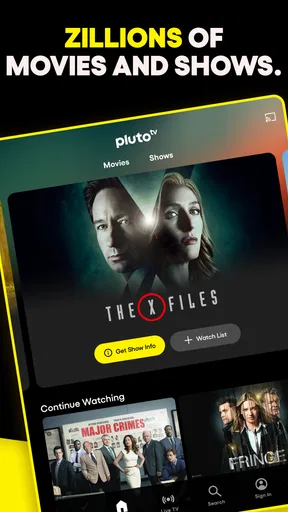
 Analysis by AppCompare
I tend to reach for PlutoTV: Live TV & Free Movies when I want something on without spending half the evening choosing a title. Its mix of live channels and on-demand viewing gives it a different rhythm from a subscription library: I can browse for a film, or simply tune in and let a channel decide what comes next. That convenience is its strongest draw, though it also means the experience is less tailored than services built around a personal watchlist.
A browsing style built around channels
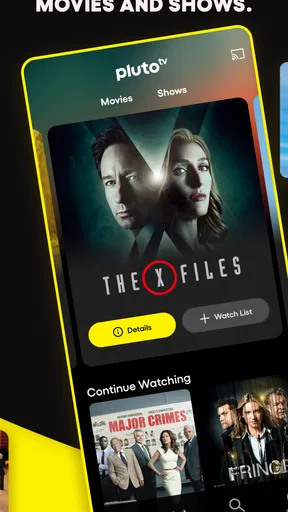
The interface is fairly easy to understand once I get a feel for its two main modes: choosing a live channel and looking through available on-demand content. Categories help narrow the field, and the channel format is useful when I have only a vague idea of what I want. Instead of comparing several nearly identical film listings, I can settle on a genre or topic and see what is playing.
That approach can also be easier for someone who finds endless rows of personalized recommendations tiring. A channel provides a ready-made next choice, which reduces decision-making. On the other hand, the live schedule can feel less direct if I have a particular title in mind. I would treat browsing as a way to discover something, not as a guarantee that a specific program will be immediately available.
Comfort, readability, and control
For everyday viewing, the straightforward layout is a plus: I can move between broad categories without learning a complicated system. Still, ease of use depends on what is comfortable for the person holding the device. Small text, dense listings, or quick movements between screens can be inconvenient for some viewers, especially on a smaller phone. I recommend trying it on the device you plan to use and checking whether the menus and program information feel clear at your usual viewing distance.
Motor and sensory needs matter too. A person who prefers fewer decisions may enjoy the channel-based format, while someone who needs precise control over what plays may prefer searching a more focused on-demand service. Commercial breaks are part of the free viewing model, so they can interrupt a quiet or concentrated viewing session. If interruptions are difficult, it is worth considering whether that trade-off suits the moment rather than assuming every viewing session will feel uninterrupted.
Discovering a World of Free Content
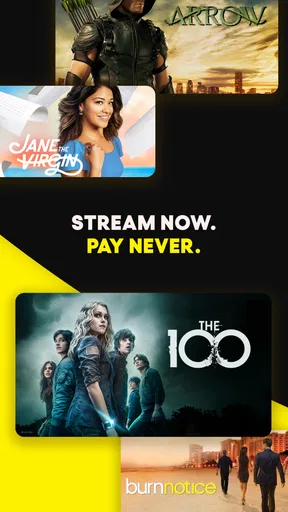
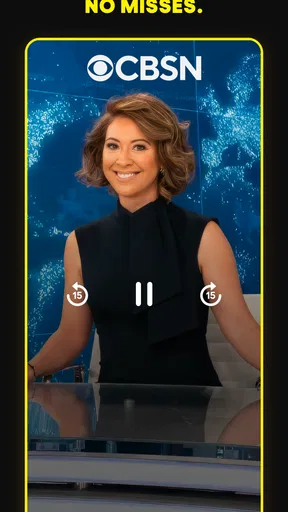
First things first, let's talk about the sheer variety of content available on PlutoTV. It's like having a cable TV package without the hefty bill. The app features over 250 live channels, covering everything from news and sports to entertainment and kids' programming. And yes, it’s all free!
The interface is pretty straightforward. You can easily navigate through categories and find something that fits your mood. I was pleasantly surprised to find a whole section dedicated to classic movies. If you're a fan of the golden age of cinema, you're in for a treat.
Worth Reading Before You Choose

Baby Panda World Brings Quick Play to Modern Phones, but Its Game Library Feels Busy

ESPN’s Live Game View Makes Following Close Games Easier

QuizzLand Review: A Good Fit for Short Trivia Breaks, Not Every Player

Basketball Stars: Multiplayer Is Fast, but Can It Recover When Matches Go Wrong?

WEBTOON Turns Phone Updates Into a Better Reading Routine

Link to Windows Runs on Shared Habits, Not Social Feeds
Is It Really Free?
Yes, my friends, it genuinely is. PlutoTV operates on an ad-supported model, so you'll encounter commercials similar to traditional TV. While some might find this a tad annoying, it's a small price to pay for free content. Think of it as a throwback to the days before streaming services took over.
One thing that caught my eye was the app's ability to cater to niche interests. Whether you love reality TV, true crime, or cooking shows, there's something for everyone. The curated channels make it easy to sit back and enjoy without having to make any hard decisions.
Room for Improvement
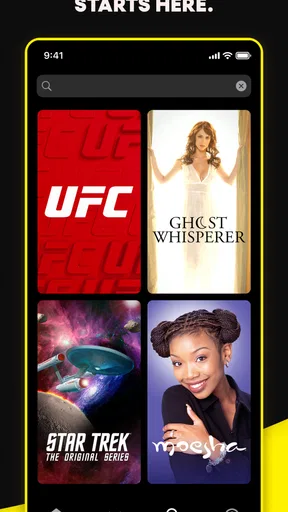
While the app is a treasure trove of content, there are a few quirks. The search functionality could use a bit of an upgrade. Finding specific shows or movies sometimes feels like looking for a needle in a haystack. Also, the video quality may not always match up to what you'd expect from paid streaming services.
That said, these minor hiccups don't overshadow the app's overall appeal. If you're looking for something to watch without the commitment of a subscription, PlutoTV is a stellar option.
Choosing the right moment and device
A realistic use for me is putting it on while making dinner. I can choose a cooking or entertainment channel, keep the phone or another viewing screen nearby, and let the programming fill the room without having to pause after every episode to select another. It is also handy when friends are over and nobody can agree on a film: a live channel gives everyone something to react to while we decide whether to keep watching or switch to a movie.
For focused viewing, I would take a different route. If I want to watch one particular film from start to finish, an on-demand service with stronger search and a predictable catalogue is often less frustrating. Pluto TV is more appealing when I am open to browsing, when I want background viewing, or when I would rather not add another monthly bill. Its free access is meaningful, but the advertisements and less exact selection are the cost in time and convenience.
How it compares with paid streaming
Compared with subscription platforms, Pluto TV feels closer to a collection of digital TV channels than a library designed around my viewing history. That difference is not automatically a weakness. It can make the app a useful counterweight to services that ask me to choose a title before I can relax. But if I expect a particular season, episode, or film to be ready on demand, I am more likely to be disappointed by the channel-first experience and search limitations.
I would use it alongside, rather than necessarily instead of, a paid service. It suits casual discovery and low-stakes viewing, while a paid catalogue can be better for following a specific series or avoiding ad breaks. If I am trying to cut costs, I would start with Pluto TV for general entertainment and keep a subscription only for the shows or viewing habits that genuinely justify it.
Who will enjoy it—and who may not
The app makes the most sense for viewers who are comfortable with advertising, enjoy channel surfing, and do not need every viewing choice to be exact. It may also work well in a shared home where people have different tastes: the range of topics gives everyone a starting point, even if it does not guarantee that a particular favorite will be playing. The developer is Pluto, Inc., and the app is free to use, with advertising supporting the viewing experience.
I would be more cautious about recommending it to someone who relies on precise, repeatable navigation or finds interruptions especially disruptive. The Teen content rating is also worth keeping in mind for households choosing what children can watch; I would not assume that a broad family-friendly category means every program is suitable for every child. Checking the available program information before handing over the device is the sensible approach.
Small habits that make browsing easier
One practical way to avoid getting stuck in search is to begin with a subject rather than a title. If I am in the mood for a particular kind of viewing, I browse its category or a related channel first, then switch to on-demand choices if I want something more specific. This turns the app’s curation into an advantage instead of repeatedly asking its search box to behave like a comprehensive catalogue.
I also separate “background viewing” from “I want to watch this.” For the first, a live channel is the point: I can let the schedule carry the session and accept that the next program is not under my control. For the second, I check whether the title is available before settling in. That small change in expectation saves frustration, especially when a search does not surface what I had in mind.
What to expect before installing
Pluto TV is an entertainment app from Pluto, Inc. It has been available since March 31, 2014, and its audience has grown to more than 100 million installs. Its average rating is 3.7 from around 780,000 ratings, with about 117,000 written reviews. Those figures suggest a widely used service with mixed experiences, which matches my view: its free, channel-led approach is appealing, but it will not suit people who expect a polished, highly targeted subscription library.
It is free, carries a Teen age rating, and runs on Android 5.0 or later. In practical terms, that makes it accessible to many older Android devices, although the experience still depends on how comfortably the app’s text and controls work on your particular screen. I would also think about the viewing setting: a stable connection and a screen that is easy to see can make casual browsing far more pleasant than trying to follow a program while moving around.
For viewers who want to know whether it costs anything, the answer is that there is no subscription fee; the trade-off is commercial breaks. If the question is whether it can replace every other streaming service, I would say no—not for someone with a fixed list of shows or a strong preference for uninterrupted, precise on-demand playback. If the question is whether it can provide an easy source of free entertainment when plans are open, then it is much more convincing.
Room for Improvement
While the app is a treasure trove of content, there are a few quirks. The search functionality could use a bit of an upgrade. Finding specific shows or movies sometimes feels like looking for a needle in a haystack. Also, the video quality may not always match up to what you'd expect from paid streaming services.
That said, these minor hiccups don't overshadow the app's overall appeal. If you're looking for something to watch without the commitment of a subscription, PlutoTV is a stellar option.
Final Thoughts
All in all, PlutoTV: Live TV & Free Movies has carved out a unique space in the crowded streaming market. It's a great option for cord-cutters and anyone who's tired of paying for multiple services. With its vast array of channels and on-demand content, there's always something new to discover.
Whether you're in the mood for a classic flick, breaking news, or a quirky documentary, PlutoTV has got you covered. So grab some popcorn, settle into your favorite chair, and let the binge-watching commence!
An inclusive fit, with realistic limits
My inclusive verdict is that Pluto TV is easiest to enjoy when viewers can browse at their own pace, tolerate ad breaks, and are comfortable with a channel schedule that keeps moving. Its broad categories and ready-to-play channels can lower the effort of deciding what to watch, which is helpful in shared spaces or when someone wants a simple background option. But a clear category structure is not the same as guaranteed ease for every ability, and people who need highly specific controls or uninterrupted concentration may be better served elsewhere.
I would try it for free with one ordinary viewing session in mind: browse a category, test whether the text is comfortable to read, and see how the ad interruptions feel in that context. If the experience works for casual discovery, it can be a useful part of a viewing routine. If finding one exact title becomes the main task, or the interruptions make watching tiring, choosing a more focused on-demand alternative is a reasonable decision rather than a failure to use the app correctly.
Pros
- Extensive variety of free channels.
- User-friendly interface for easy navigation.
- No subscription required for access.
- Regular updates with new content.
- Available on multiple devices.
Cons
- Frequent ad interruptions during shows.
- Limited on-demand content options.
- Some channels have low streaming quality.
- Geographical restrictions on content.
- No download option for offline viewing.
FAQs for PlutoTV: Stream Free Movies/TV
What is Pluto TV and how does it work?
Pluto TV is a free streaming service offering a wide variety of live TV channels and on-demand movies. It operates like traditional television, providing a channel guide with different genres, including news, sports, entertainment, and more. Users can browse through channels or search for specific content without needing a subscription.
Do I need to create an account to use Pluto TV?
No, creating an account is not required to use Pluto TV. You can access all the content without signing up. However, creating an account allows you to customize your experience, such as saving your favorite channels and resuming playback across devices. It enhances usability but is entirely optional.
Is Pluto TV really free, and are there any hidden costs?
Yes, Pluto TV is completely free to use. The platform is ad-supported, meaning you will encounter commercials similar to traditional TV. There are no hidden costs or subscription fees, making it an attractive option for users looking to enjoy free streaming content without financial commitments.
What kind of content is available on Pluto TV?
Pluto TV offers a diverse range of content including live TV channels and on-demand movies. Categories include news, sports, comedy, drama, reality TV, and children’s programming. With hundreds of channels and a large library of movies, there’s something for everyone to enjoy, catering to a variety of tastes and interests.
Can I watch Pluto TV on multiple devices?
Yes, Pluto TV is available on multiple platforms, including Android and iOS devices, smart TVs, gaming consoles, and web browsers. You can easily switch between devices, and if you have an account, you can resume watching from where you left off. This flexibility makes it convenient for users to enjoy content anywhere.


